
How to Turn an X Thread Into a LinkedIn and Instagram Carousel
How to Turn an X Thread Into a LinkedIn and Instagram Carousel
If you write threads on X, you already have a backlog of carousels. Most of them were read once by whoever was online that afternoon and never seen again.
A thread is the closest thing social media has to a carousel written in text. It is numbered. It has an opening line whose only job is to earn the next tap. Each tweet is short enough to carry one idea. And unlike a blog post, it has already been tested in public: the replies, reposts and bookmarks tell you which parts landed.
But a thread is not a carousel yet. Pasting tweets onto slides gives you ten screenshots of text with no pictures, no cover, and an ending that asks people to repost something on a different platform. This guide covers the mapping that actually works: which tweet becomes the cover, which tweets to cut, what to merge, and the three things slides need that threads never had.
Why Threads Convert Better Than Other Source Material
We have covered turning a LinkedIn text post into a carousel, where the main risk is losing your voice in the rewrite. Threads have a different problem and a different advantage.
The structure is already done. A blog post needs to be broken into points. A thread was written in points. Most of the work in repurposing is deciding where one idea ends and the next begins, and a thread’s author made that call tweet by tweet.
You have feedback nobody else gets. Before you design a single slide, you can see which tweet got quoted, which one people argued with, and which question came up three times in the replies. That tells you what to lead with and what to add.
The weakness is that it was written for a text feed. Threads rely on momentum: the reader is already scrolling down, so each tweet only needs to be slightly interesting. A carousel has to earn every swipe on its own, and it has to do it with a visual.
The Mapping: Tweet to Slide
Most threads contain the same six kinds of tweet. Each has an obvious destination.
| Thread element | What it becomes on the carousel |
|---|---|
| Hook tweet (“Here’s how…”, “A thread:”) | The cover slide, rewritten to 8 words or fewer with the thread markers removed |
| Background tweet (“Some context: I’ve been doing this for…”) | Cut. Move it to the caption, where it supports the post without costing a swipe |
| One point per tweet | One body slide each. The claim becomes the headline, the best detail becomes the body |
| A point spread over two or three tweets | Merge into one slide. If it will not fit, it is two points, so make it two slides |
| Screenshot or “receipts” tweet | A photo slide, or proof folded into the body copy of the slide it supports |
| “If this was useful, repost the first tweet” | Replaced with one ask that makes sense on the new platform |
| The best reply | An extra slide near the end, answering the question you know people will ask |
Two rules sit underneath that table.
One slide, one idea. If a tweet makes two claims, split it. If three tweets make one claim, merge them. The number of tweets in the thread does not decide the number of slides; the number of ideas does.
Payoff goes late. Threads often put the conclusion in the second tweet to justify the scroll. On a carousel, the answer on slide two removes the reason to swipe to slide three. Keep the result for the second-to-last slide.
What to Cut
Be more ruthless than feels comfortable. The following almost never survive the move:
- Thread markers. “A thread”, “1/”, “(cont.)”, the thread emoji. They mean nothing on LinkedIn or Instagram and they make the post look like a paste job.
- Credentials tweets. Useful on X, where strangers find you through the algorithm with no profile context. On a carousel they cost a whole slide. One line in the caption does the job.
- Transitional tweets. “Here’s where it gets interesting.” “But that’s not all.” In a thread these keep the reader scrolling. On slides, the swipe is the transition.
- Platform references. “Reply with your answer”, “this blew up”, “retweet if…”. Any line that only makes sense on X.
- The engagement-bait ending. Replace it with a single concrete ask.
A 12-tweet thread typically ends up as 7 to 9 slides once the context, transitions and ending are gone.
What Threads Lack That Slides Need
This is where most thread-to-carousel conversions fall down. Three things have to be added, not just rearranged.
A cover that works without a caption. A hook tweet leans on the text around it: your name, your bio, the “Show this thread” link. A cover slide sits alone, and in the Instagram grid it is permanently the thumbnail. It needs one dominant message, a number or a stake, and an open question the next slide answers. Our cover slide guide covers the anatomy in detail.
A visual on most slides. Threads are text. A carousel of ten text-only slides is readable, but it looks like a document rather than a post, and it gives the reader nothing to look at while deciding whether to swipe. If the thread is about something physical, such as a product, a place, a process or a before-and-after, photograph it. If it is purely an argument, at minimum alternate text slides with one or two image slides.
A headline on every slide. A tweet can be a single flowing sentence. A slide needs a headline someone can read in a second, with the detail below it. Try reading only the headlines of your finished carousel. If that does not tell the story, rewrite them.
A Worked Example: A Bakery’s Cost Thread
Here is a thread from the owner of a two-person sourdough bakery, posted after a customer complained that £5.50 for a loaf was too much:
1/ Someone told me £5.50 for a loaf is a rip-off. Fair question. Here’s where every penny goes. A thread.
2/ Bit of background: we opened three years ago. Two of us, one deck oven, about 90 loaves a day.
3/ Flour, water, salt: 74p. Organic stoneground flour from a mill 30 miles away. Everyone assumes this is the big cost. It’s the smallest.
4/ The oven: 41p. Four hours of gas every morning, divided across the bake.
5/ Labour: £1.90. Two days from feeding the starter to slicing. Most of it is waiting, but someone still has to be there.
6/ And yes, that includes paying ourselves. Barely.
7/ Rent and business rates: 88p. We picked a residential street to keep this down.
8/ Waste and card fees: 37p. Unsold bread goes to the food bank at 6pm.
9/ Which leaves £1.20. That’s the new mixer fund, the January cushion, and one day a holiday.
10/ This got long. If it was useful, a repost of the first tweet helps a small shop a lot.
11/ Oh, and pre-orders for Saturday close on Thursday.
Applying the mapping:
- Tweet 1 becomes the cover, rewritten from 19 words to 6: “Your £5.50 Loaf, Penny By Penny”. The complaint moves to the caption.
- Tweet 2 is cut. The “two of us, 90 loaves” line goes in the caption.
- Tweets 3, 4 and 7 become one slide each, with a photo of the thing being costed.
- Tweets 5 and 6 merge into one labour slide. They make one point.
- Tweet 8 becomes a slide on its own.
- Tweet 9 is the payoff, and stays second-to-last.
- Tweet 10 is cut entirely.
- Tweet 11, an afterthought in the thread, becomes the closing slide. It was the only real ask all along.
Eleven tweets become eight slides. This is the full carousel:
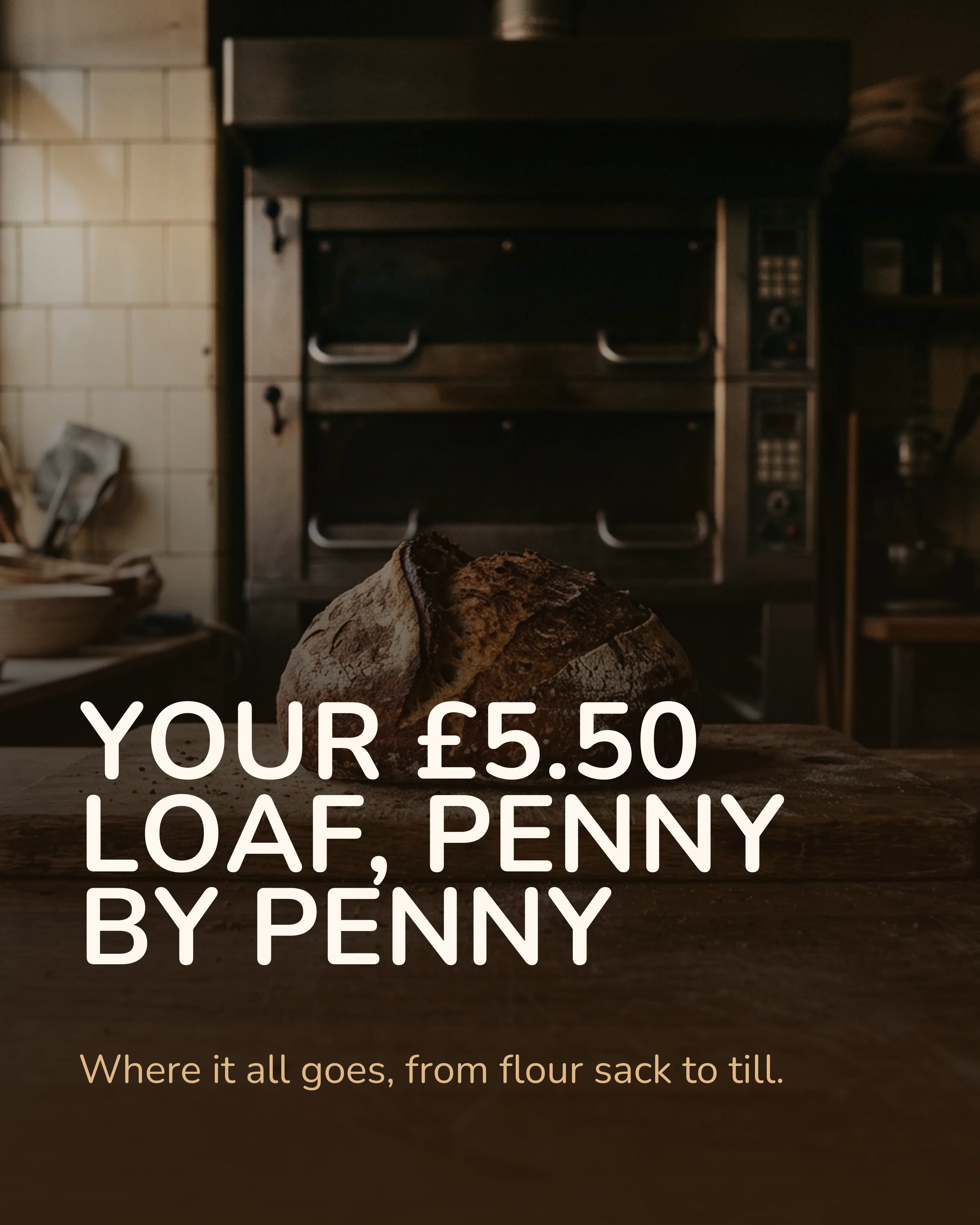
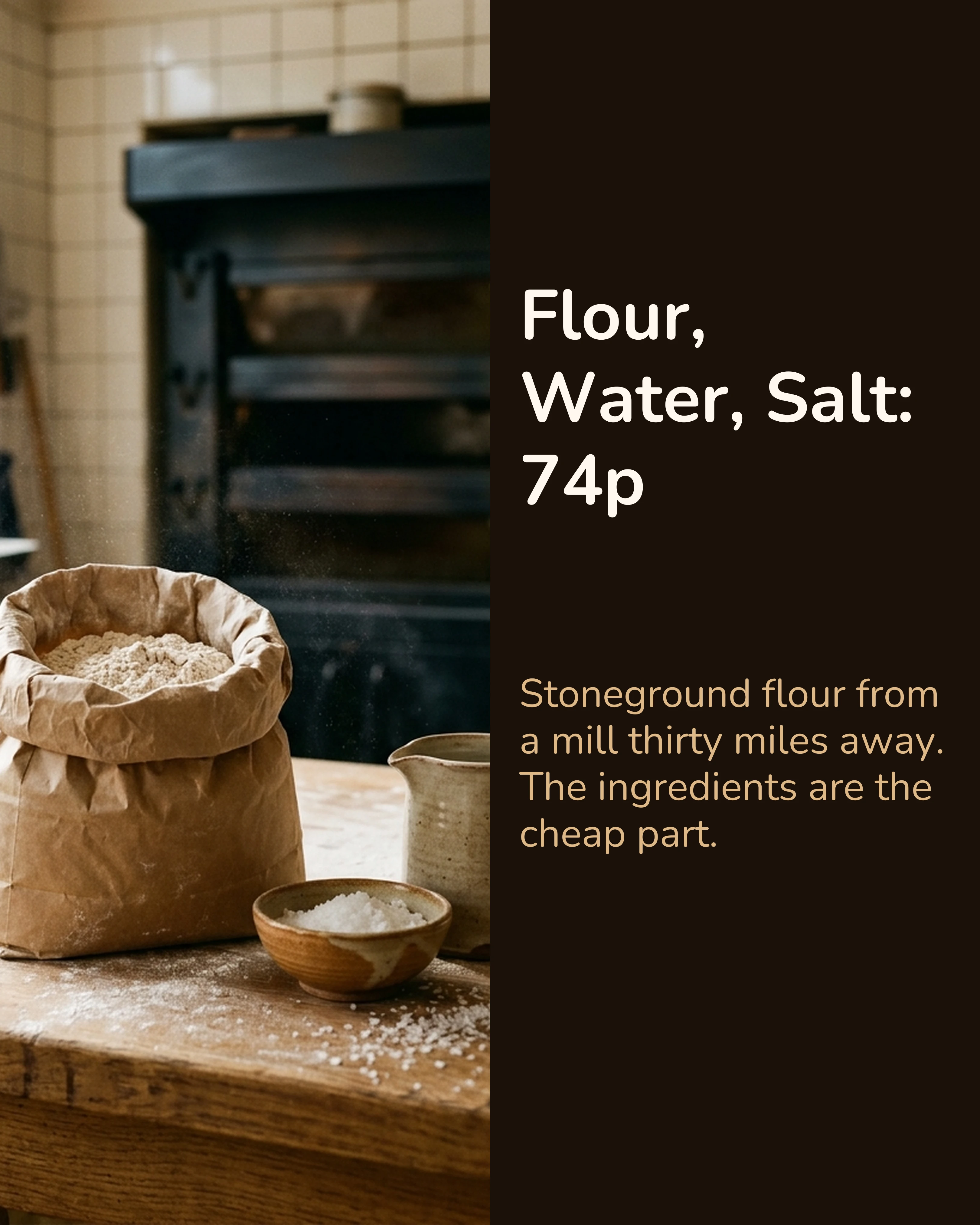
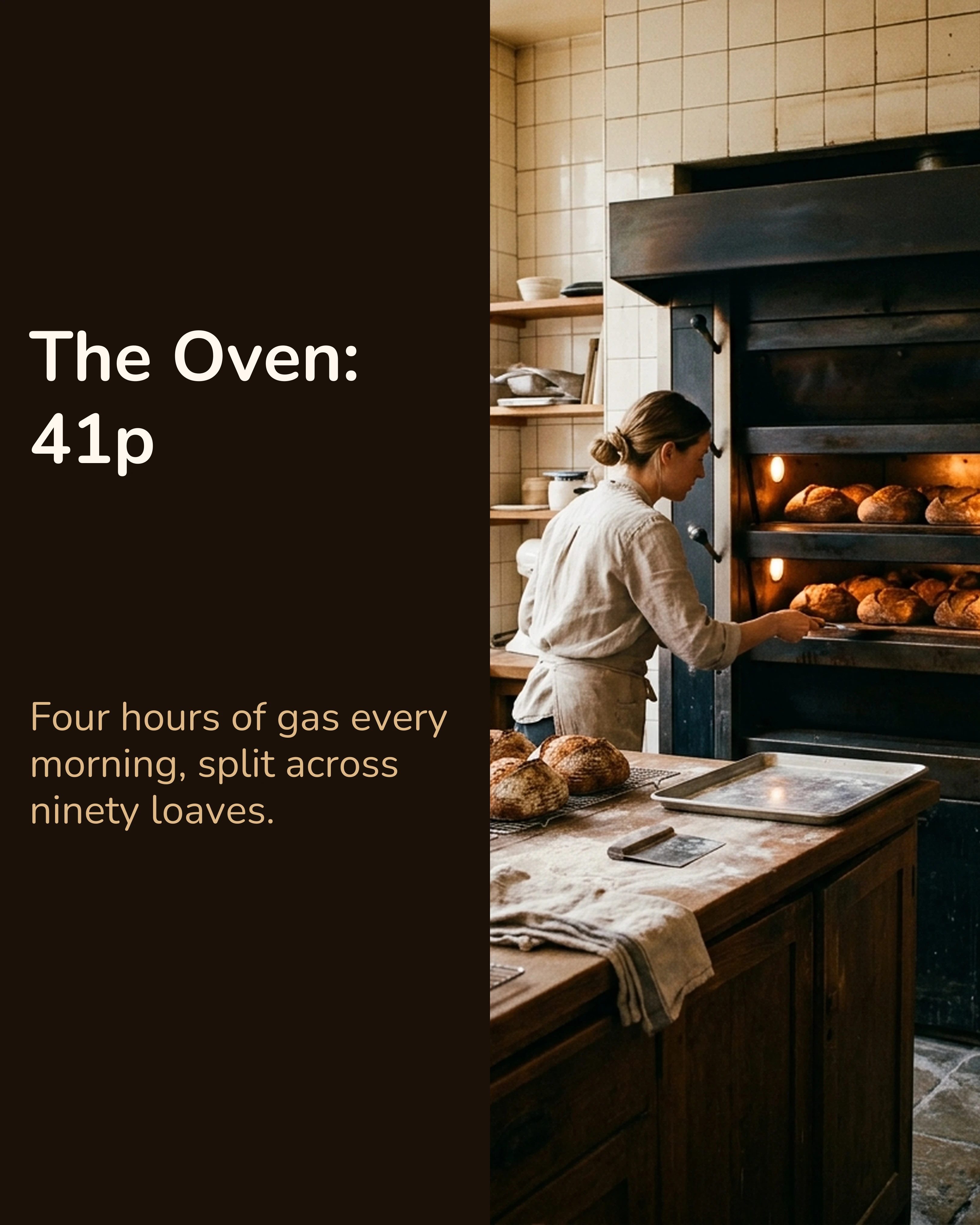
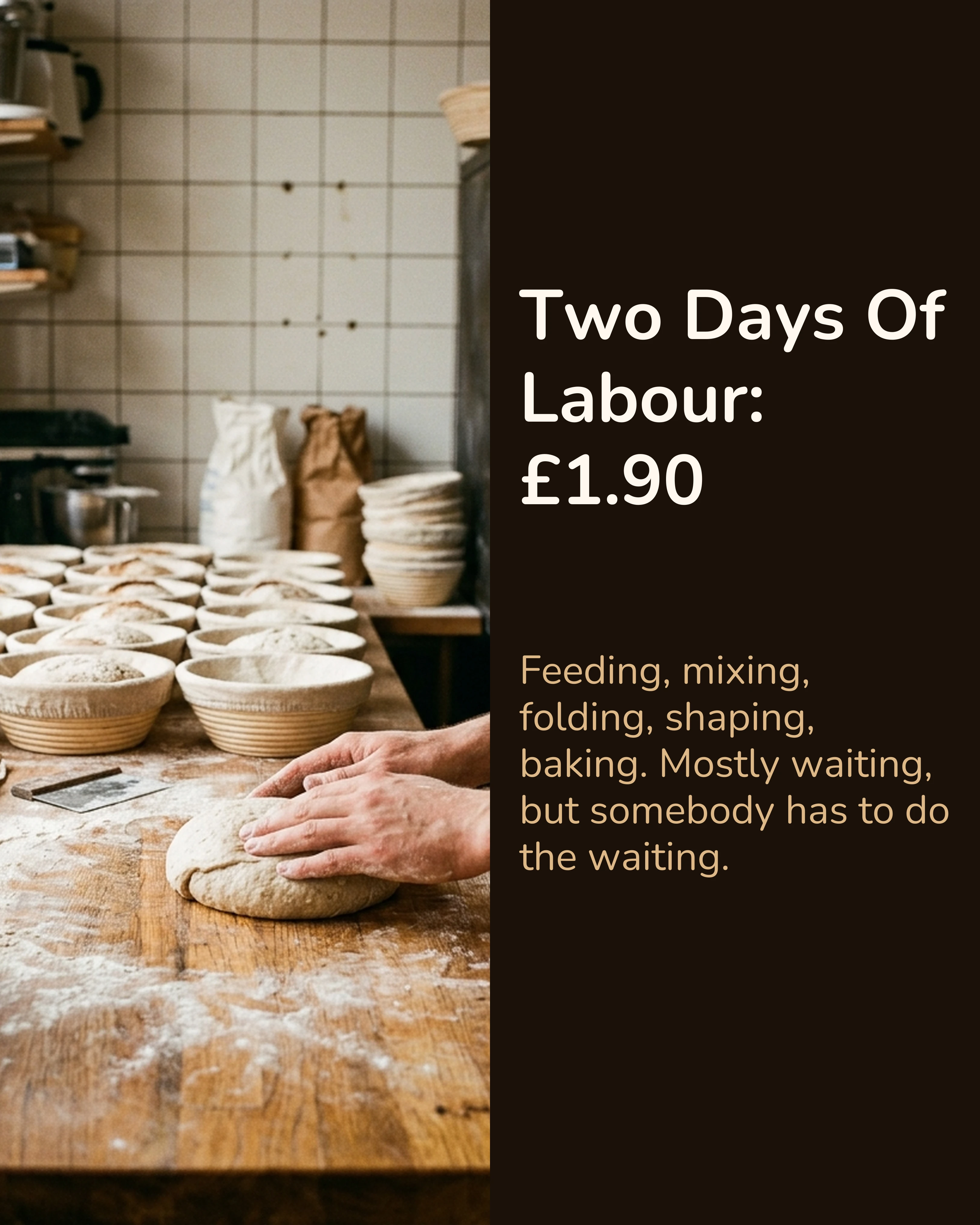
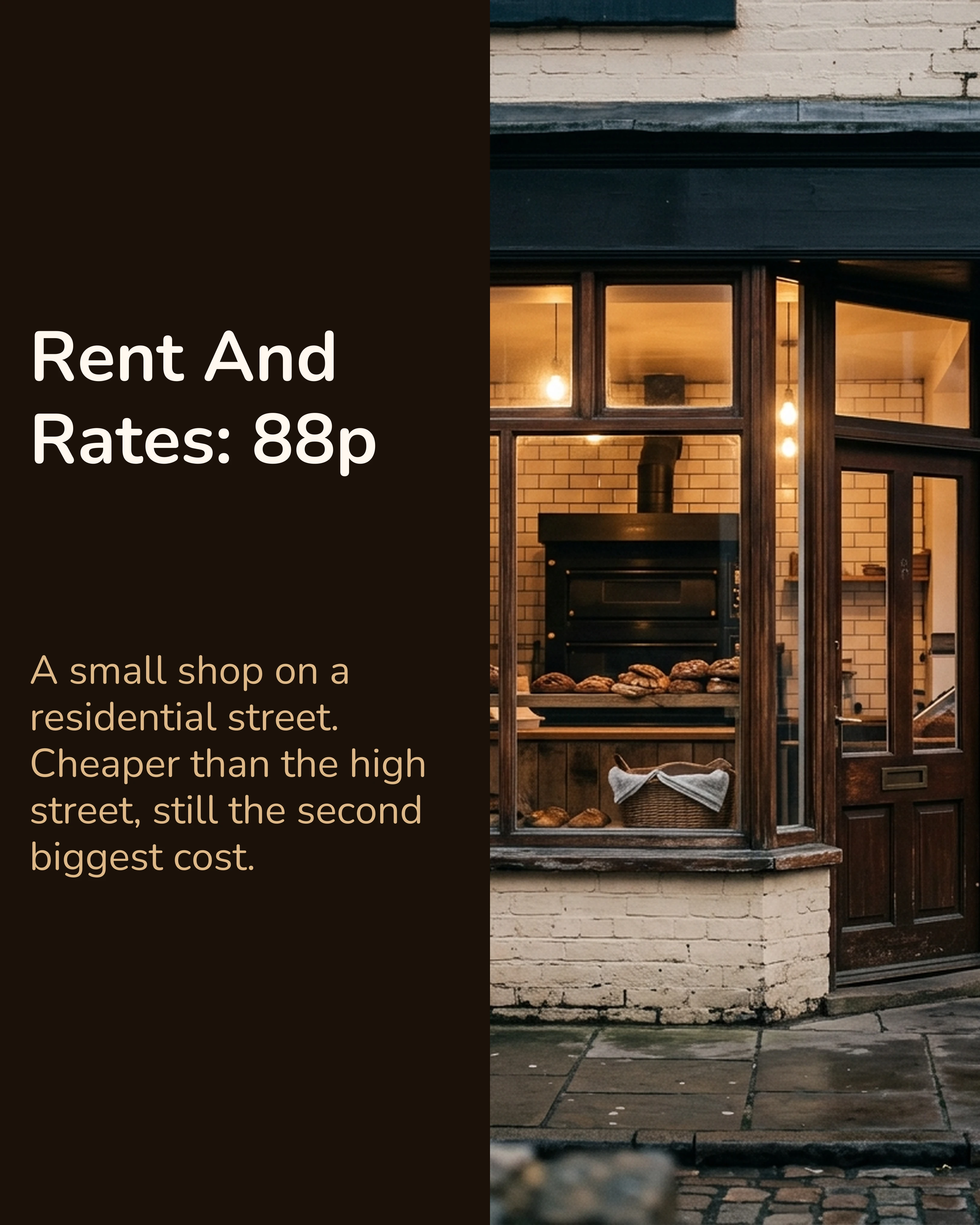
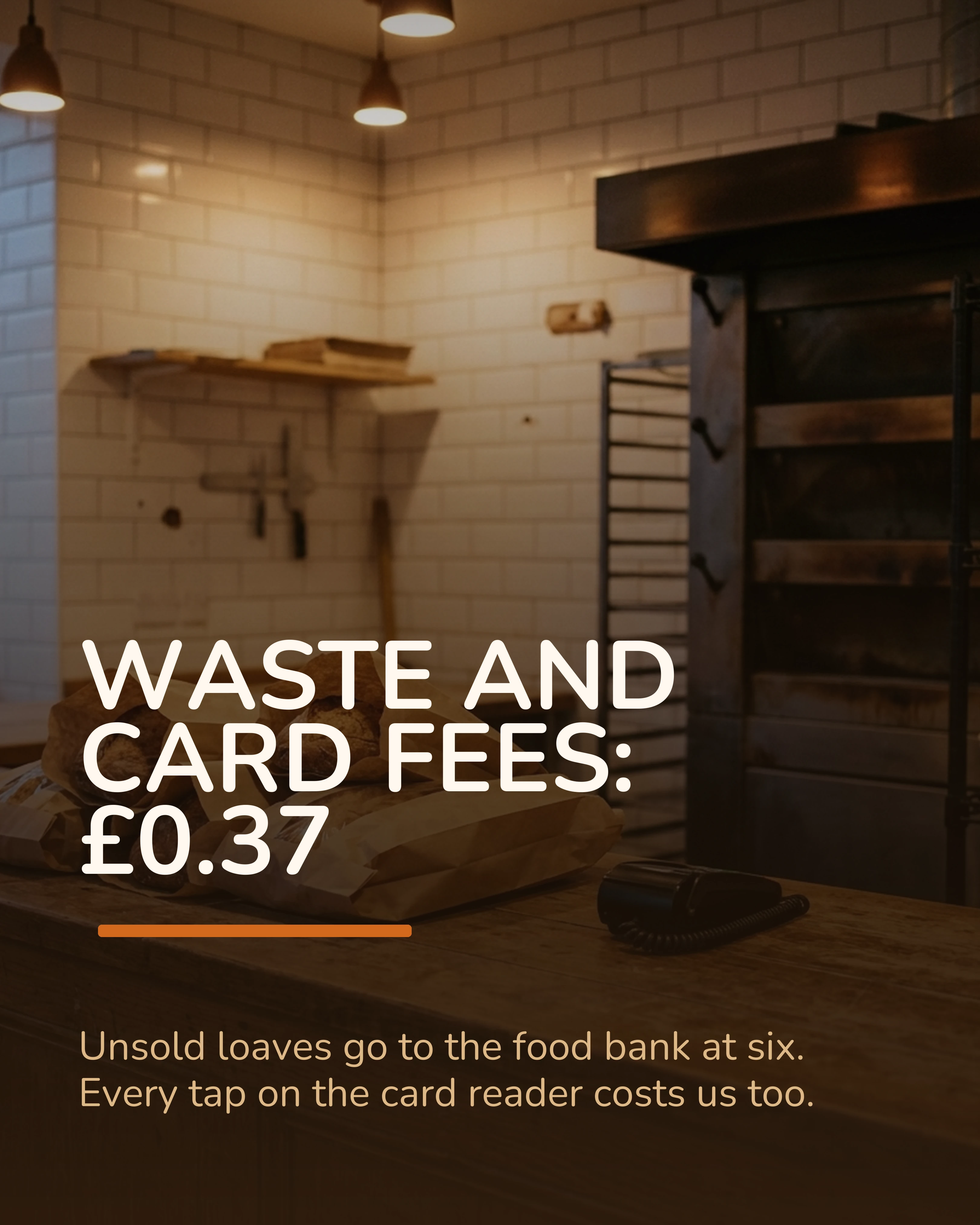
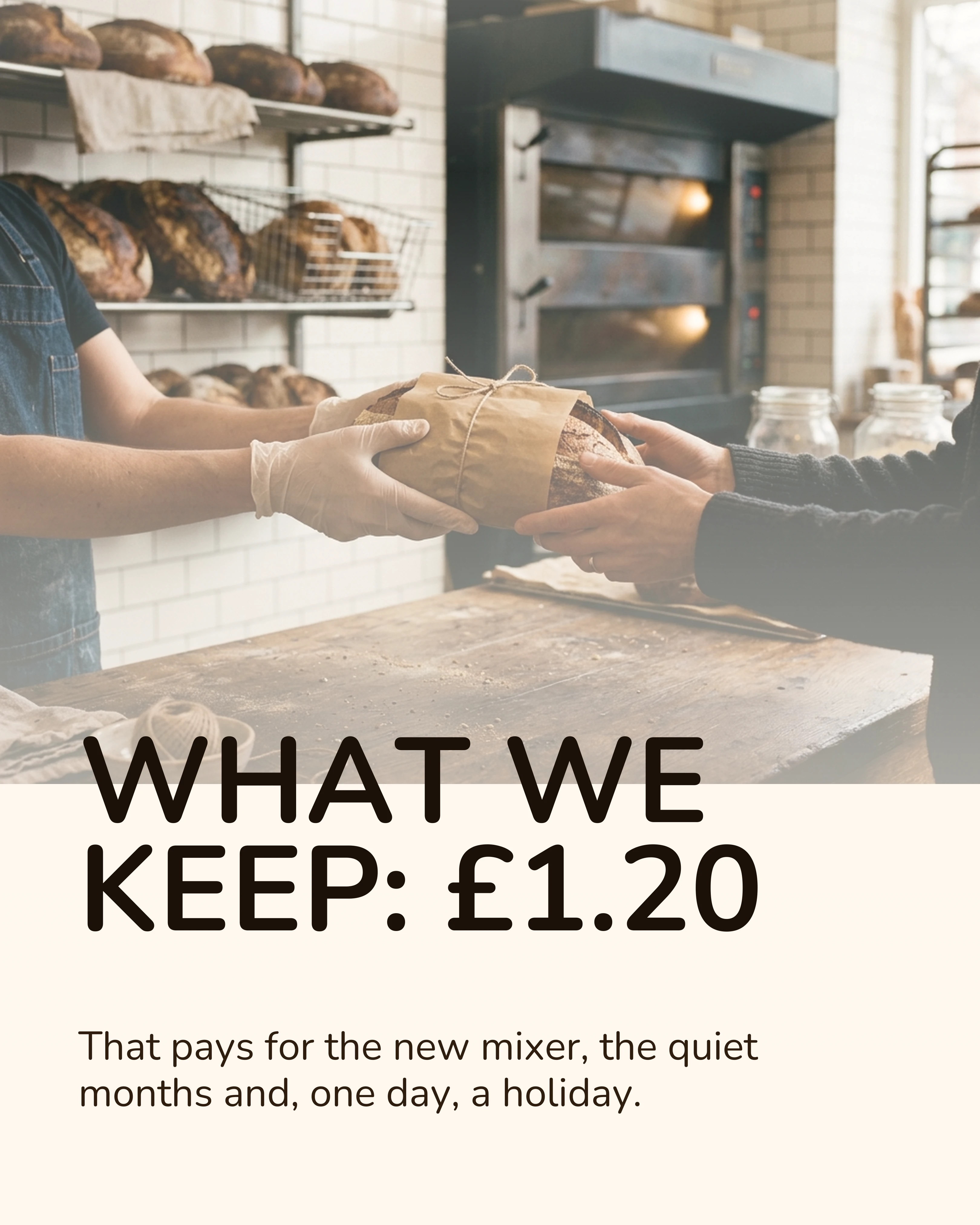
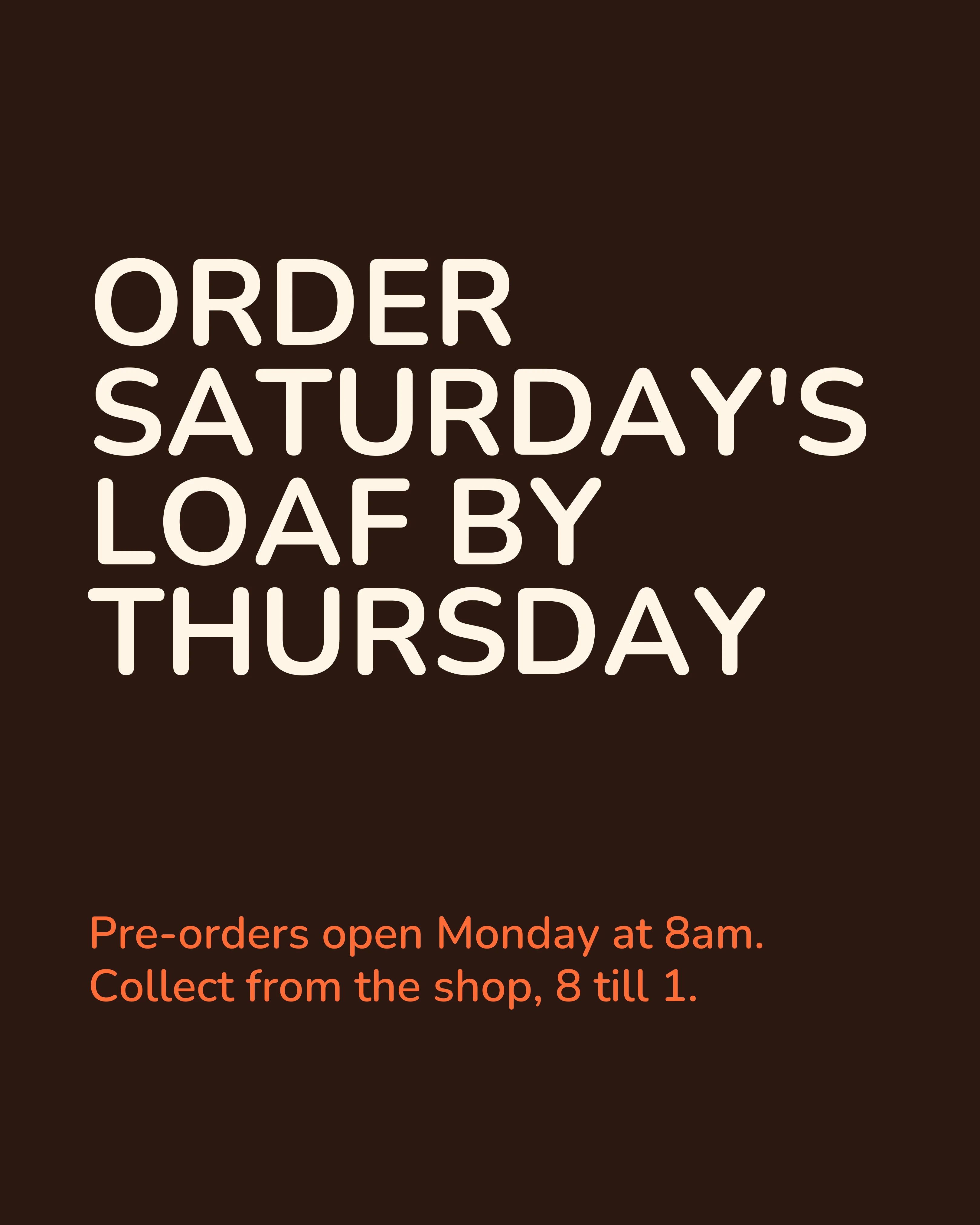
Notice what changed besides the length. Every cost has a picture of what it pays for, which the thread never had. The middle slides share one layout, so the eye reads them as a sequence. The £1.20 lands on slide seven rather than being hinted at up front. And the closing slide switches to a plain text layout so it reads as the end rather than as one more cost.
Fold the Best Reply Back In
The most useful thing a thread gives you that no other source material does is the reply section. If three people asked the same question, the carousel should answer it before anyone has to ask.
The bakery thread’s most common reply was some version of “why not sell a £3 loaf and sell more of them?” That becomes a slide. It can sit between the payoff and the closing ask, or run as the first slide of a follow-up post. This is a representative slide rather than part of the full carousel above:
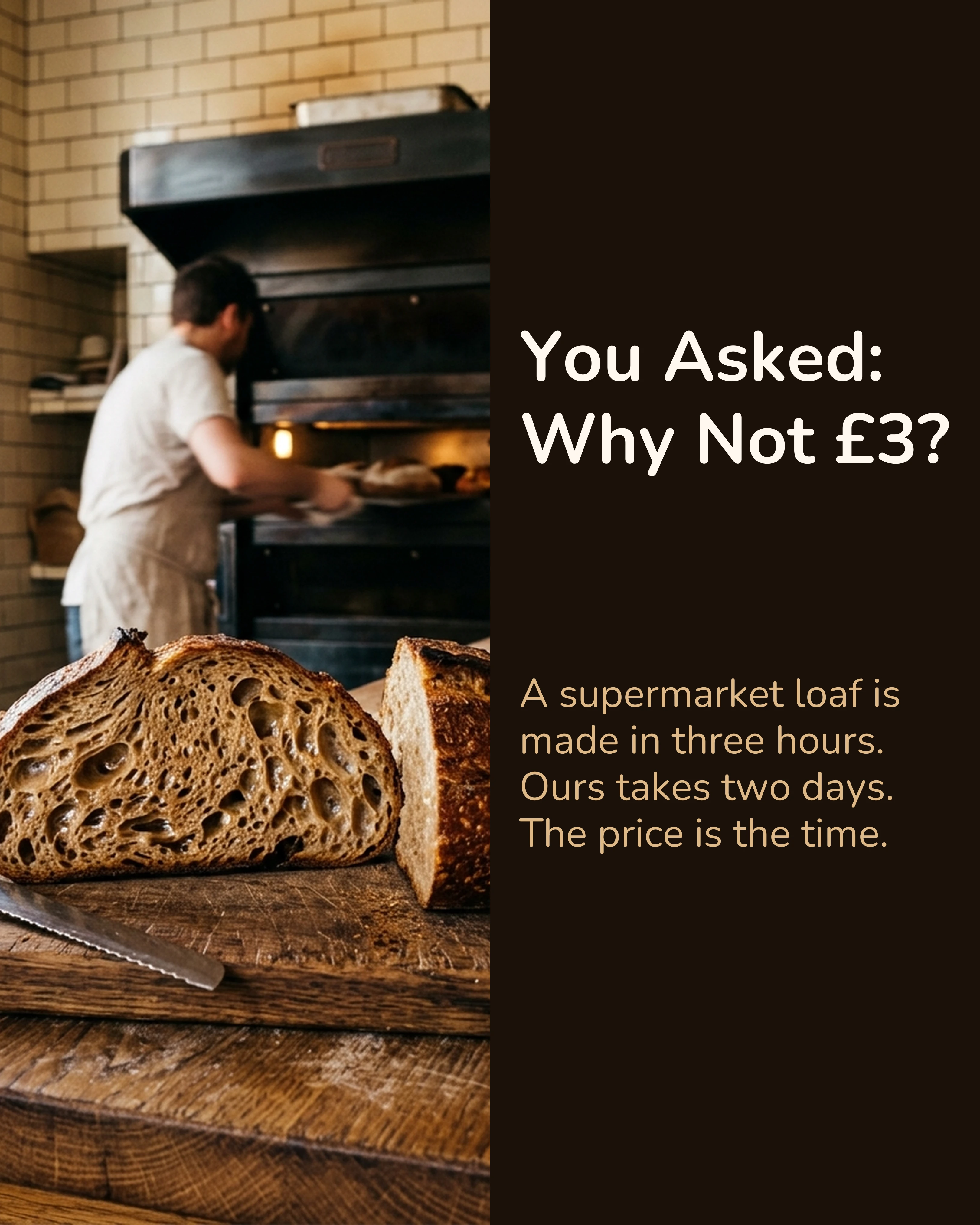
Replies that pushed back are often the most useful: they show which slide needs stronger proof.
One Carousel, Three Destinations
Once the slides exist, they can go to several platforms with small changes. The four-platform guide covers ratios and captions per platform in detail. For a thread-sourced carousel, three things are specific.
LinkedIn: lead with the lesson
LinkedIn is where document carousels do best. In Buffer’s 2026 engagement study of more than 52 million posts, LinkedIn carousels had a median engagement rate of 21.77%, roughly three times that of video and images. That is a median across posts published through Buffer, so treat it as a baseline rather than a promise.
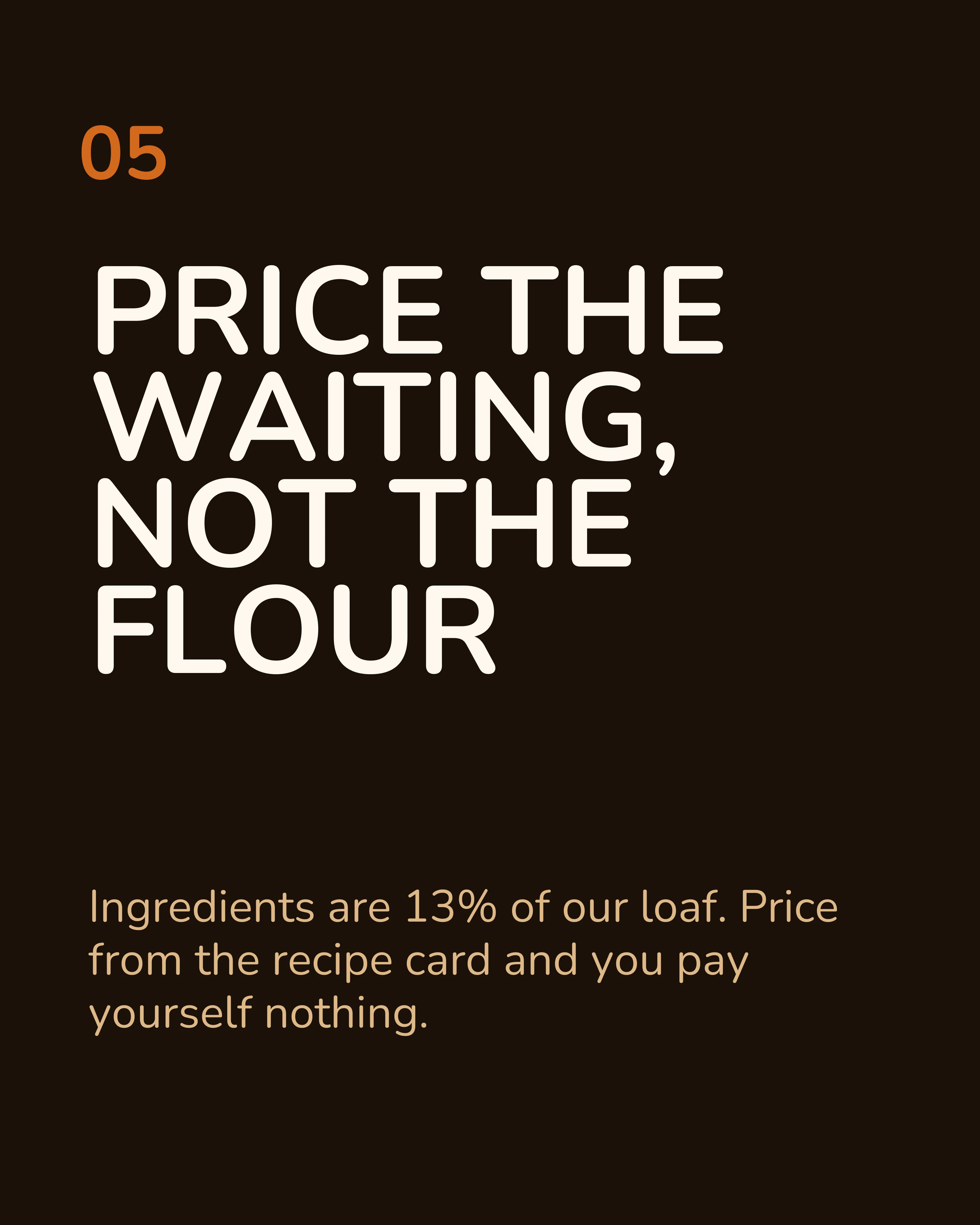
The LinkedIn audience for a bakery thread is not only local customers. It is other small food businesses. So the LinkedIn version keeps the eight slides and adds one slide that states the lesson for them. The caption is written as a standalone post, because many readers will never open the document. Here is a representative slide from that version:
Instagram: the cover is permanent
Export at 4:5 portrait. On Instagram, the cover stays in your profile grid for as long as the post exists, so it needs to make sense to someone who never saw the thread. Buffer’s same study found Instagram Reels get 36% more reach than carousels, but carousels earn 12% more engagement. So a carousel here is a post for the people who already follow you, and the saves and shares are what carry it further.
Back to X: a four-slide cut
The slides can go back where the thread started. X allows up to four media items per post, so the X version is a four-slide cut: the cover, the two biggest costs (labour and rent), and the payoff. The closing ask moves into the post text, alongside a link to the original thread for anyone who wants every line.
Common Mistakes
Screenshotting the tweets. It is fast and it tells everyone on LinkedIn and Instagram that you did not make this for them. Retype the text into slides.
Keeping every tweet. If the thread had fourteen tweets, a fourteen-slide carousel is almost always too long. Cut to the ideas, not the posts.
Forgetting the ask. Threads often end on a repost request. Decide what you actually want someone on this platform to do, and ask for only that.
How Carousel Helps
Most of the work in a thread-to-carousel conversion is editorial: choosing the cover line, merging tweets, deciding where the payoff lands. The slow part is everything after that: laying out eight slides, keeping the middles consistent and making the closing slide look different.
Carousel handles that layer on your phone. Paste the tweets you are keeping, pick a template with photo slides for the middles, and swap in your own photos. Use the same template and palette for every version, with your brand kit adding the logo and handle, so the LinkedIn post, the Instagram post and the four-slide X cut all look like one design.
Key Takeaways
- A thread is already structured as one idea per tweet. That makes it the easiest source material to turn into slides.
- The hook tweet becomes the cover, rewritten to 8 words or fewer with the thread markers removed.
- Cut the context tweet, the transitions and the repost request. Merge tweets that make one point.
- Add what threads never had: a cover that works alone, a visual on most slides, and a headline on every slide.
- Keep the payoff for the second-to-last slide, and replace the ending with one ask.
- Turn the most common reply into a slide.
- Post the full carousel to LinkedIn and Instagram, then take a four-slide cut back to X.
Got a thread that did well? Download Carousel and turn it into slides this afternoon.
Create your first carousel in 60 seconds — free
Pick a template, paste your text, export. It's that simple. No design skills needed.
Download Carousel