TikTok Carousel Reach Dropped After a Break? What Actually Resets Distribution
TikTok Carousel Reach Dropped After a Break? What Actually Resets Distribution
It is one of the commonest complaints from people who post photo carousels on TikTok. You stop for a few weeks because of a holiday, a busy season or a burnt-out month. You come back, post a carousel you are proud of, and it sits at a few dozen views. Then the next one does the same. You “warm up” the account by scrolling and liking for a few days, and nothing changes.
The usual explanation is a “dormancy penalty”: TikTok punishes you for going quiet. TikTok does not document a dormancy penalty anywhere we could find. Not in its help centre, not in its Community Guidelines, and not in its newsroom. What it does document is a set of eligibility rules and a set of tools that show you, post by post, whether you are being recommended at all.
This guide covers what TikTok actually says, three checks that separate “this post is not landing” from “this account is not being recommended”, and a recovery plan. If you need the format basics first (slide limits, 9:16 sizing, sound), start with our TikTok Photo Mode guide.
What TikTok Says About Accounts and Reach
Three official statements are worth knowing before you diagnose anything.
Your history is not a direct ranking factor. In its own explainer on the For You feed, TikTok wrote that “neither follower count nor whether the account has had previous high-performing videos are direct factors in the recommendation system” (TikTok Newsroom, June 2020). The explainer is old, but the logic cuts both ways. A past hit does not carry a new post, and a quiet month should not sink one either. TikTok’s current help centre says that for most users, interactions such as watch time “are generally weighted more heavily” than other factors (How TikTok recommends content). Each post is judged mostly on how the people who see it respond.
Low views do not automatically mean a rule was broken. TikTok’s For You feed Eligibility Standards say it directly: “If a video isn’t getting many views, it also doesn’t necessarily mean it broke a rule.” The same page says creators can check analytics “to see how their videos are performing, including if there were any made ineligible for recommendation” (For You feed Eligibility Standards).
There is an account-level switch, but it is tied to content, not to absence. TikTok’s Accounts and Features policy says: “Sometimes, accounts that don’t break the rules still post a lot of content that’s ineligible for the FYF. In those cases, we may make the account and its content ineligible for the FYF and harder to find” (Accounts and Features). It is the closest thing to an official account-wide hold, and the policy ties it to what you post. It says nothing about time away.
So when reach collapses after a gap, three explanations fit the documentation. The new posts are not holding the people they are shown to. Specific posts have been made ineligible. Or the account has built up enough ineligible content to be restricted as a whole. The checks below tell you which one you have.
Check 1: Where Did the Views Come From?
Open the post in TikTok Studio and look at its analytics. TikTok’s Creator Academy confirms that each post’s analytics include its traffic sources, the breakdown of how viewers found it (Creator Academy: analytics).
The split you care about is For You versus your profile.
- A healthy post, even a small one, gets a meaningful share of its views from the For You feed. That means TikTok showed it to people who do not follow you, and the post then succeeded or failed on its own merits.
- A post with almost everything from your profile (and a little from Following) is being seen by people who went looking for you, and almost nobody else.
Practitioners who troubleshoot this for a living treat a profile-heavy split across several posts in a row as the clearest sign that the account is not being recommended, rather than that one carousel was weak. TikTok does not publish a threshold, so read this as a pattern across posts and not as a verdict on one. If the For You share is there and the numbers are just low, you have a content problem, and the recovery plan below still applies. If the For You share is close to zero on every post, go to Check 2.
For a wider view of which numbers matter on carousels generally, see our guide to carousel analytics metrics.
Check 2: Look for the Ineligibility Notice
This is the check most people skip, because the notice sits at the bottom of a post’s analytics and few people scroll that far.
TikTok’s enforcement policy is explicit: “If your content is made ineligible for the FYF or otherwise restricted, this information will appear in the TikTok analytics tool” (Enforcement: Notice and Appeals). In practice it shows up as a line saying the post is not eligible for recommendation in the For You feed.
If you find it:
- Read the reason. The Eligibility Standards list the categories TikTok keeps out of the For You feed. The one carousel posters trip over most is originality. TikTok says content “is also ineligible for the FYF if it includes unoriginal or reused material without anything new” (Integrity and Authenticity). Stock images, re-uploaded slides from another account or a slideshow of screenshots with nothing added are all at risk.
- Appeal if you think it is wrong. The same enforcement page says you can appeal a decision that made content ineligible for the For You feed, and track the appeal in the in-app Safety Center.
- Check the whole account, not just the post. TikTok’s Creator Academy promotes Account Check as a one-tap way to see whether your account is in good standing (@creatoracademy on TikTok). Account status in the Safety Center lists any warnings or violations. If older posts from before your break were flagged, they can still count towards the account-level restriction described above, even though you have not posted since.
If there is no notice on any post and the account check is clean, you are almost certainly not restricted. The problem is how the new posts perform with the people who see them first.
Check 3: Do Not Delete and Repost
When a carousel stalls, the tempting fix is to delete it and upload the same slides again, hoping for a better roll of the dice. Don’t.
Here is what TikTok documents and what it doesn’t. TikTok says reused material “without anything new” is ineligible for the For You feed. It does not say, in anything we found, how it treats you re-uploading your own post. Practitioners who manage many TikTok accounts report that deleting and reposting the same slides tends to get the new copy treated as a duplicate. They also report that editing a caption on a live post does not cause the same problem. We have not been able to confirm either point in TikTok’s documentation, so take them as field reports rather than rules.
Even without the duplicate risk, reposting is a poor trade. You lose the original post’s analytics, which is the only evidence you have for Checks 1 and 2. And TikTok’s help centre notes that it “typically” does not recommend content a viewer has already seen (How TikTok recommends content), so the people who scrolled past the first time are the least likely to be shown it again.
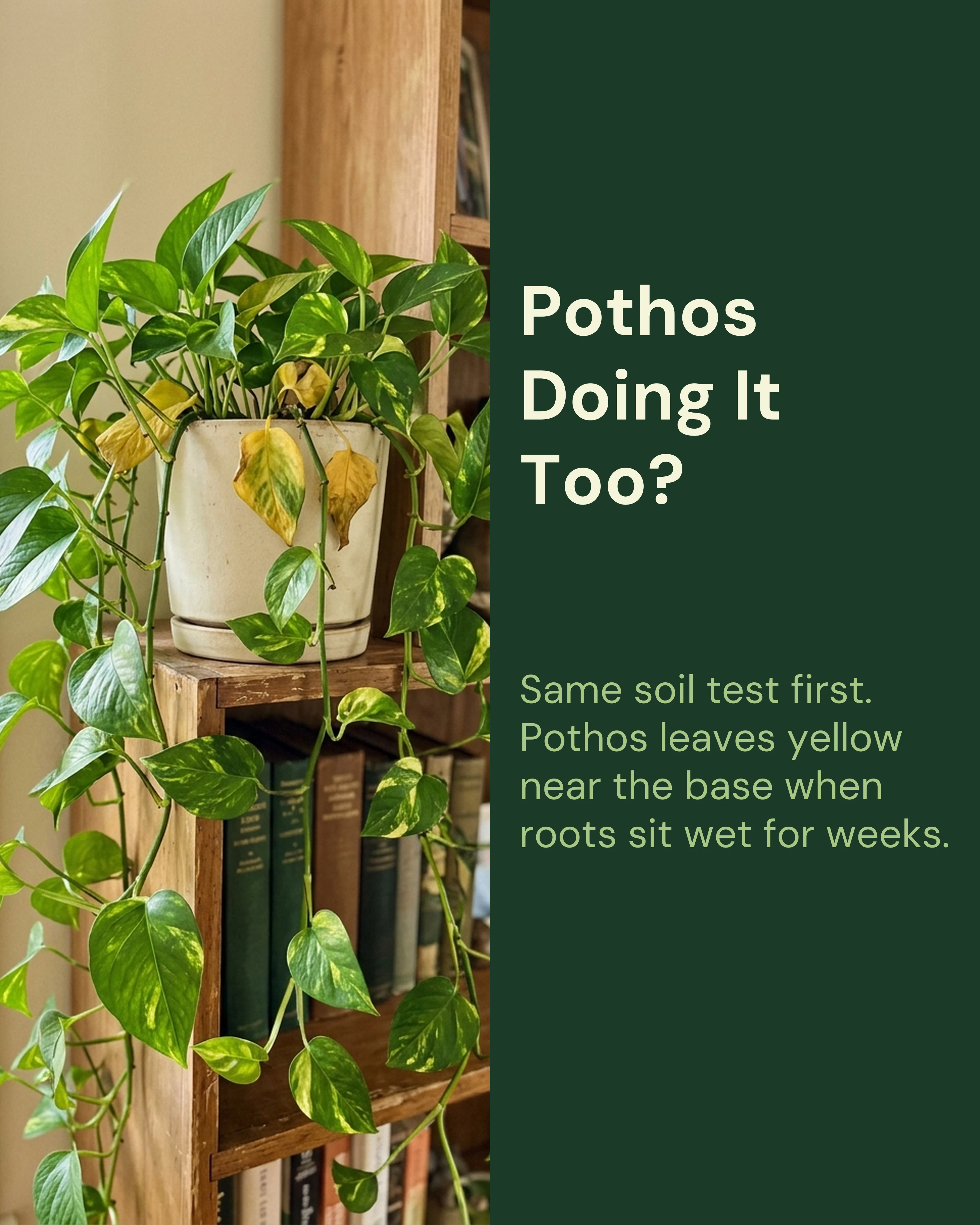
If a post deserves a second chance, make a new post. Use a different cover, a different angle on the same problem, or a different subject for the same audience. Below is a representative slide from a follow-up post by the plant shop whose full carousel appears further down. Same fix, different plant, new photos, so nothing is re-uploaded:
The Recovery Plan
With the checks done, the plan is the same whether your gap was two weeks or two months. None of it is a trick. It is what the documentation says the system rewards.
1. Clear anything that is actively holding you back
If Check 2 found ineligible posts, appeal the ones you think are wrong. For the ones that are right, stop posting that kind of content, because repeated ineligible posts are exactly what can tip the whole account into restriction. If the account check shows warnings, read them before you post anything new.
2. Make the first post back unmistakably yours
Your first few carousels after a break carry more weight in how you feel about the account than they deserve, but they are still worth getting right. Choose a subject only you could post: your own work, your own photos, a problem your customers actually bring you. That clears the originality bar with room to spare. It also gives the first people who see it a reason to swipe to the end.
Here is what that looks like in practice: a complete eight-slide photo-mode post from a small houseplant shop, built as problem, then diagnosis, then fix, then result. It is the full carousel for this article: cover, five steps, a payoff and one ask on a different palette. Every photo is the same plant, so the sequence can be followed.
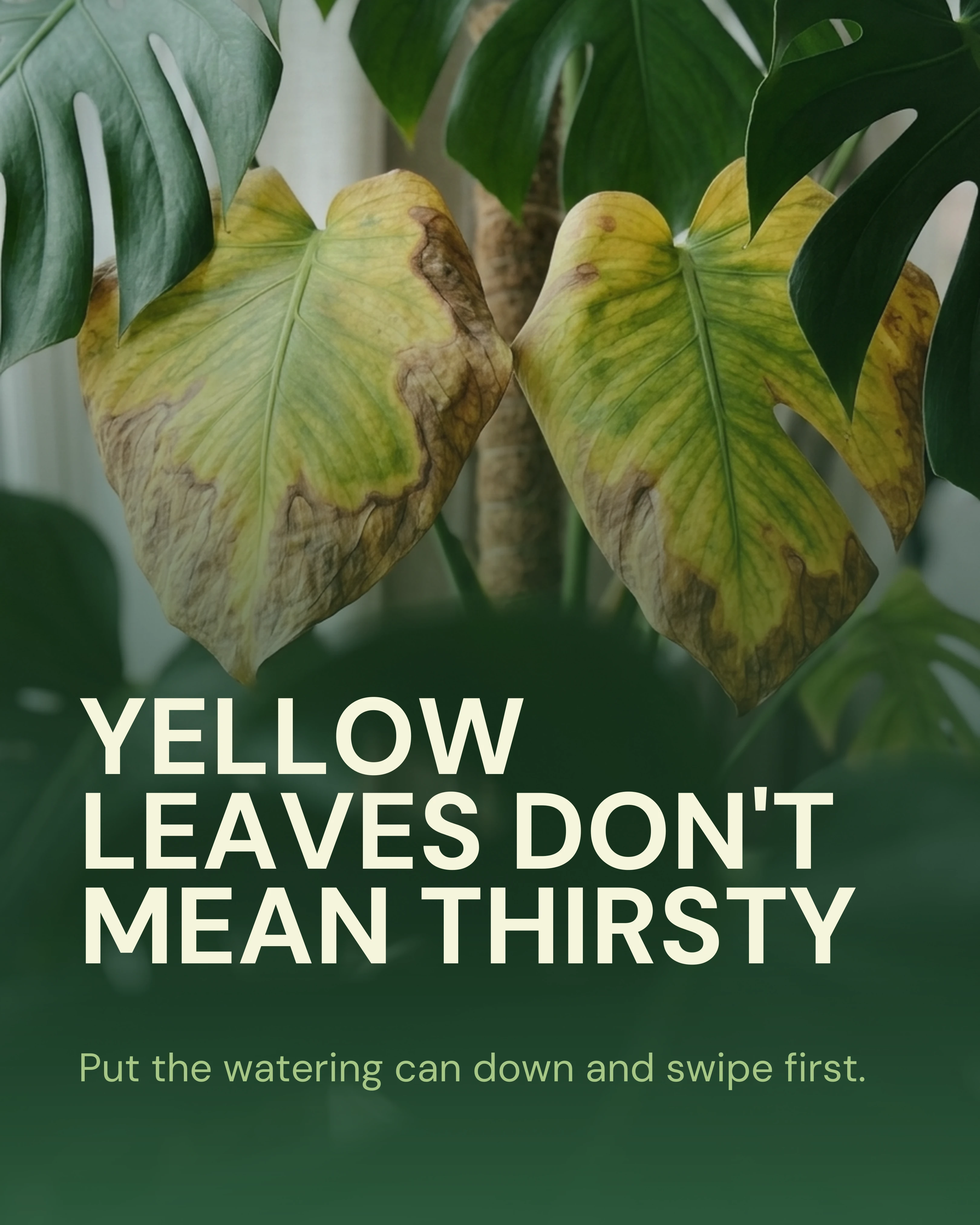

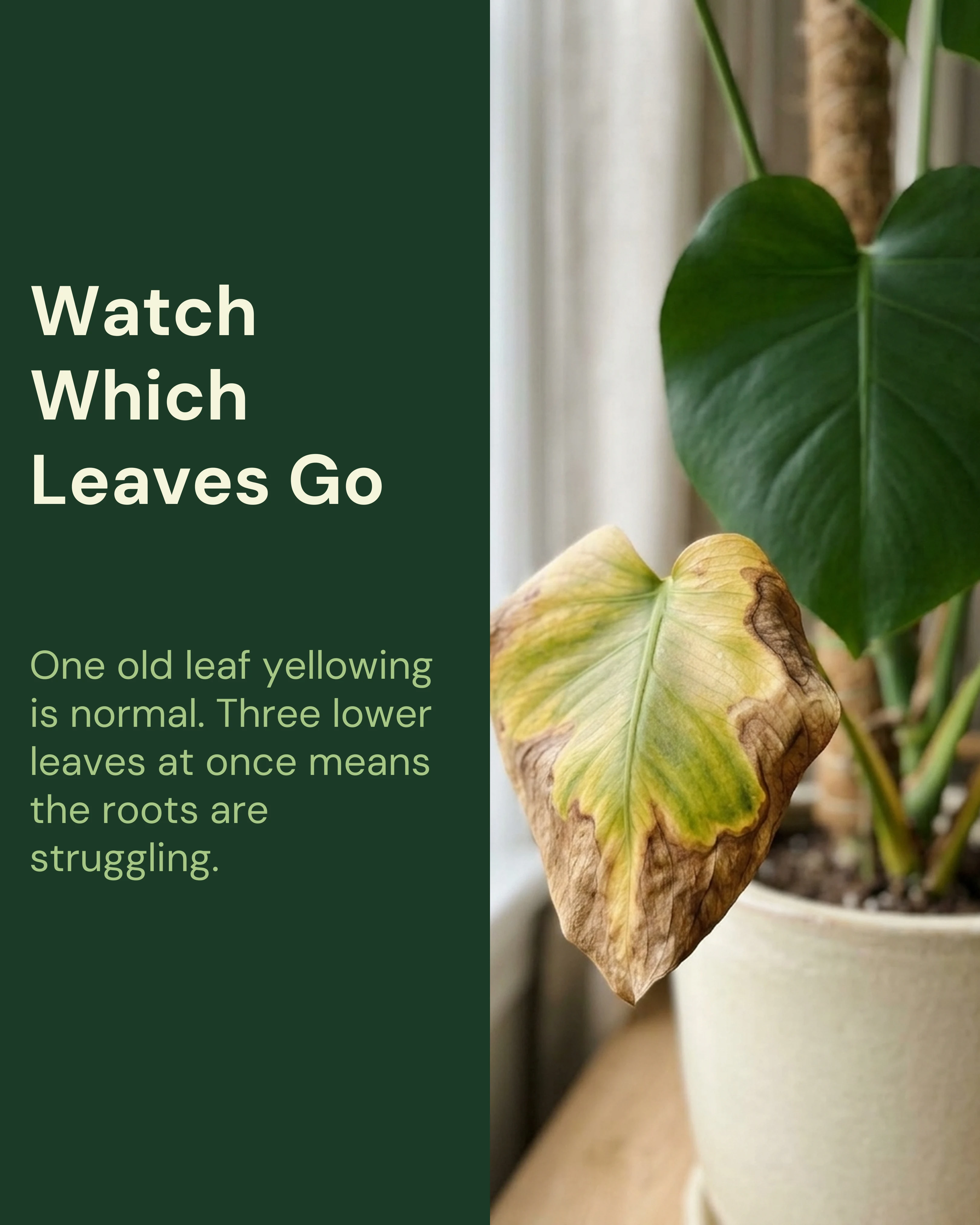
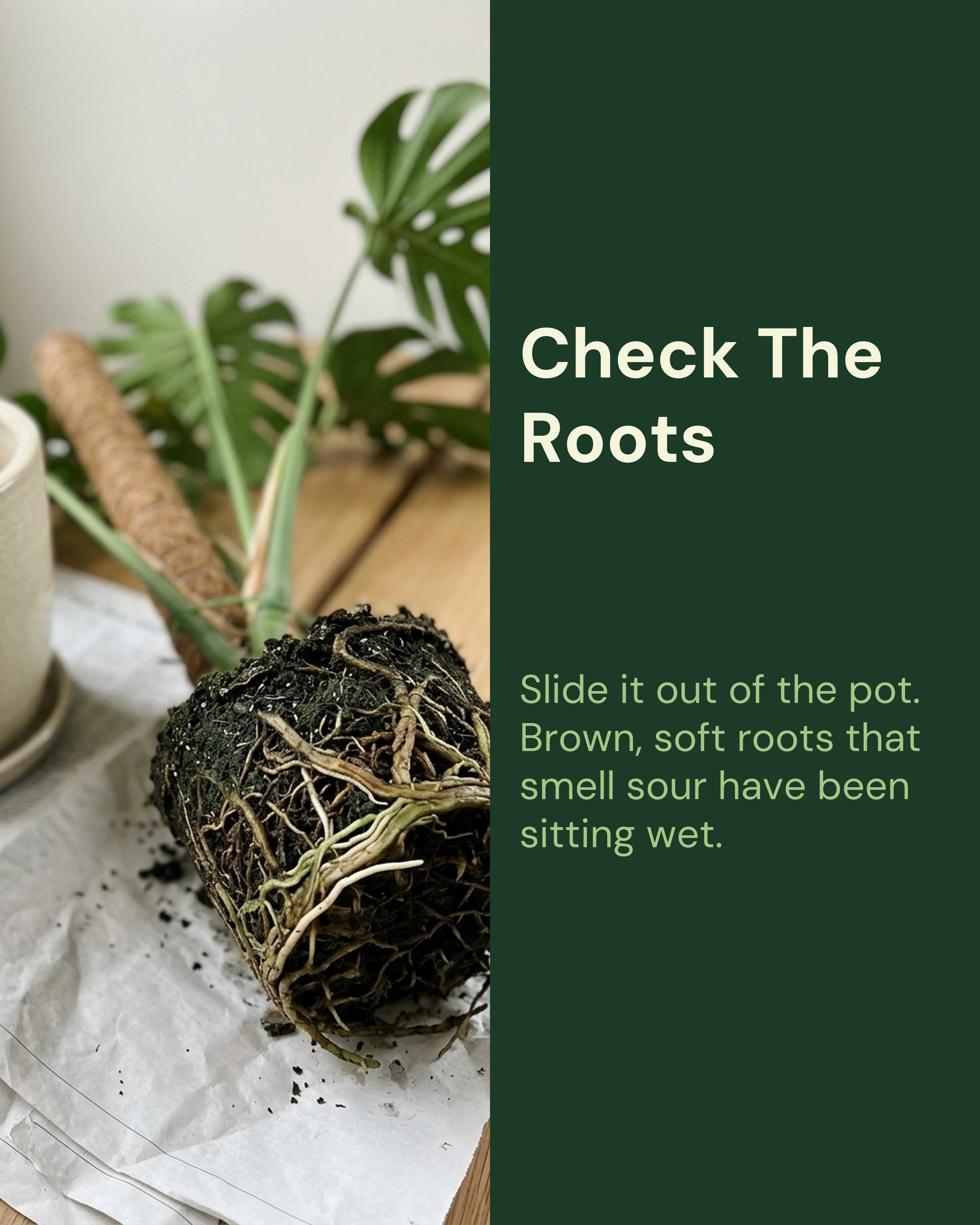
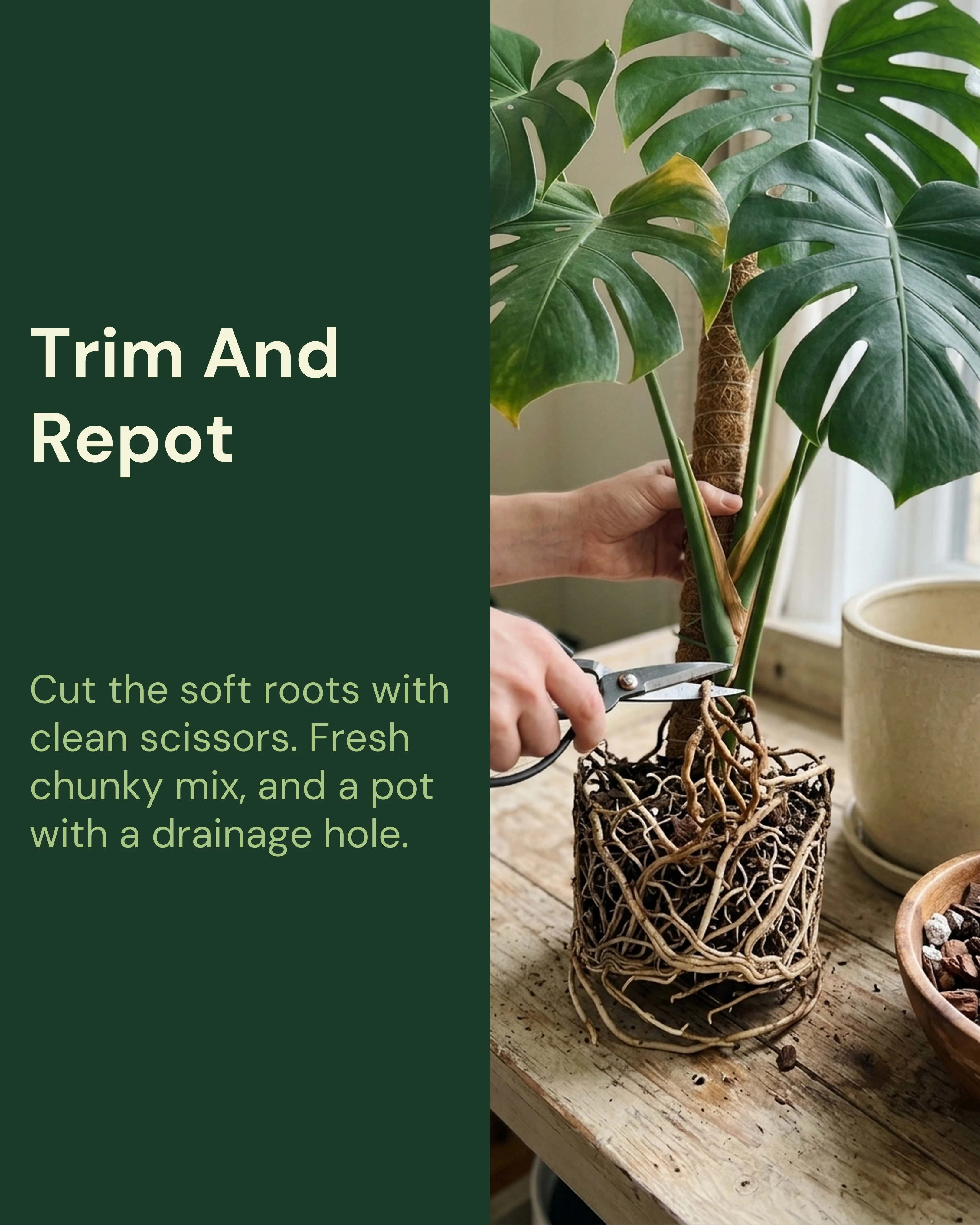
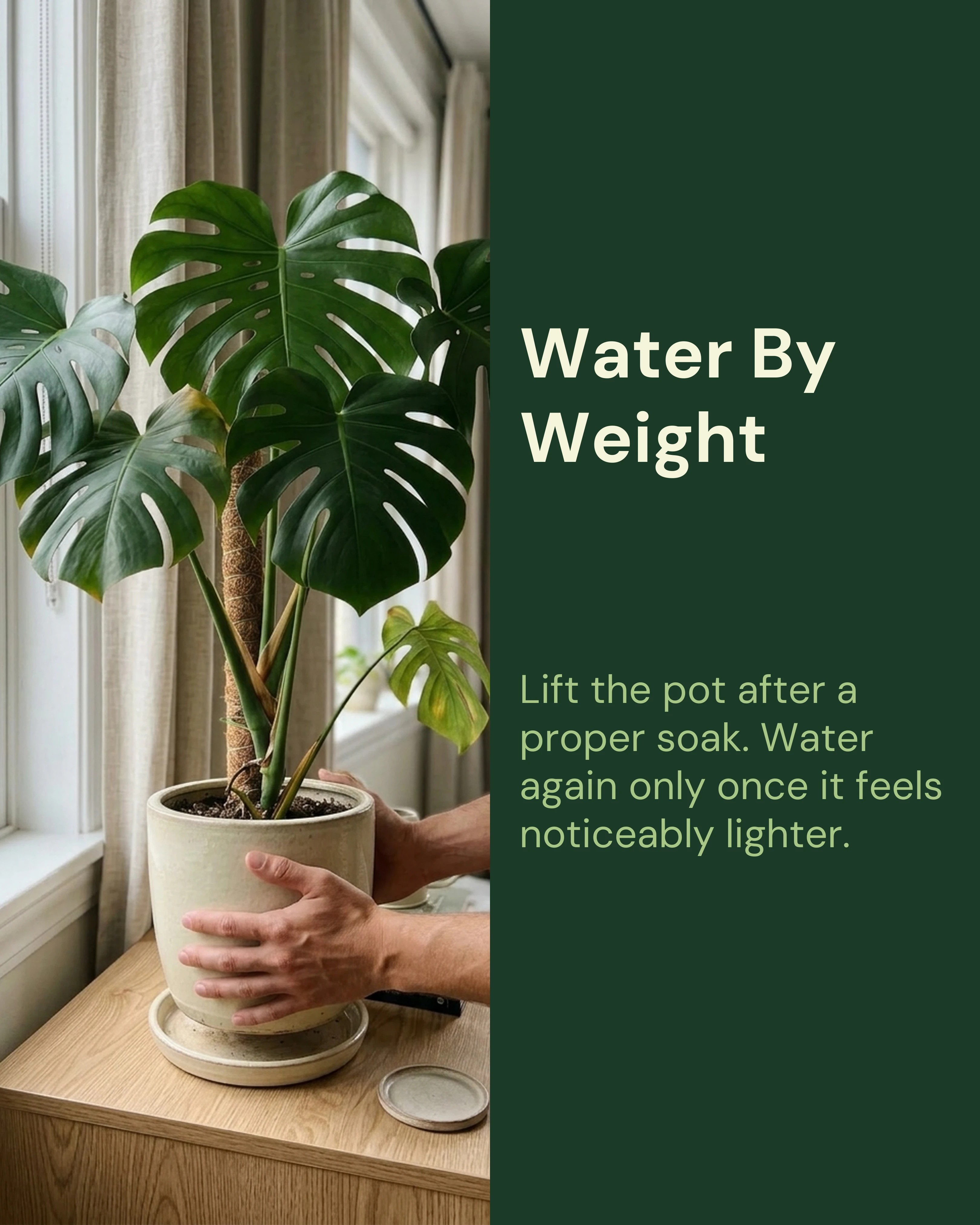
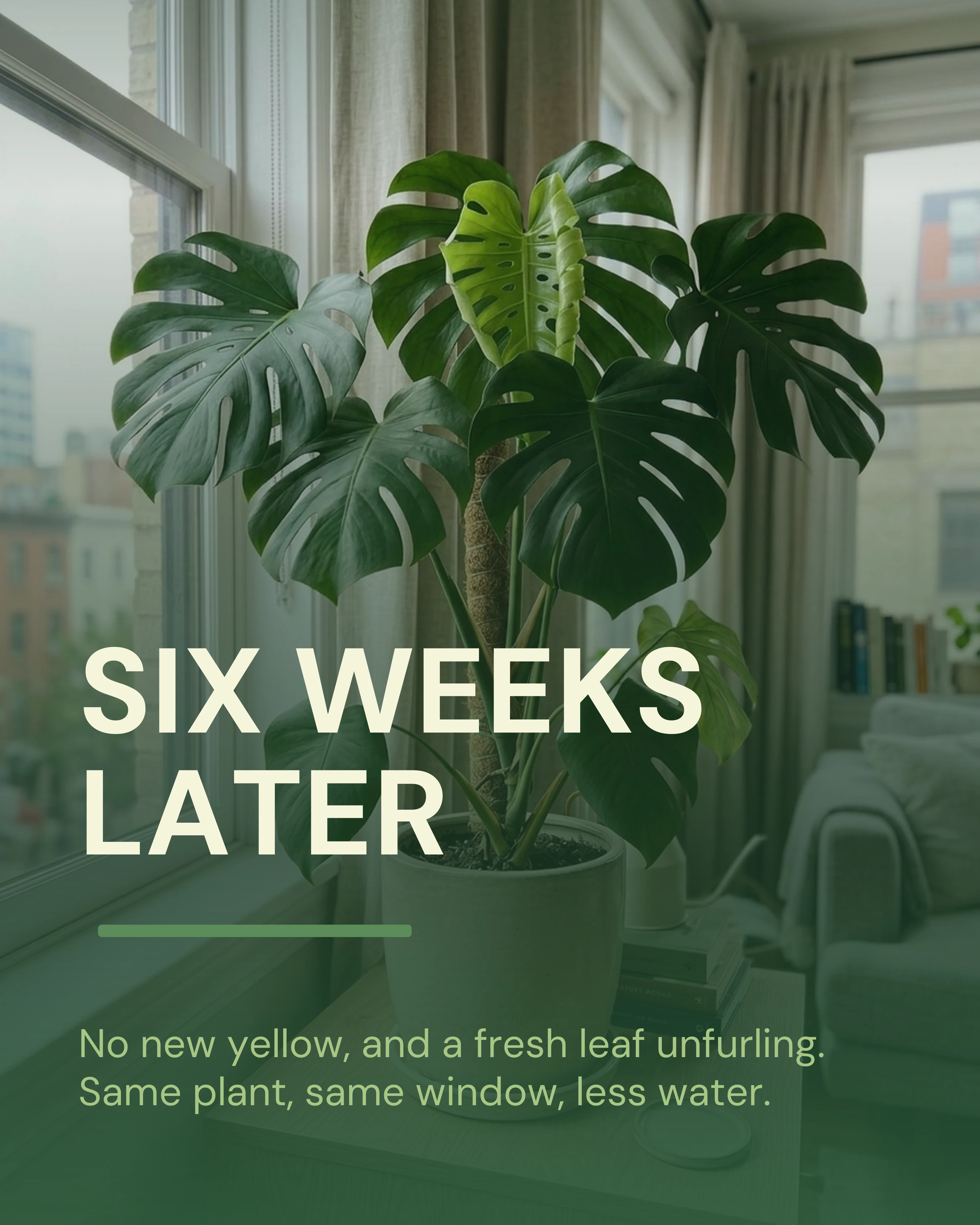

Notice what it does not do. It does not mention the break, apologise for being away or ask people to “help the algorithm”. The cover opens a question the reader already has, and each slide earns the next swipe. Time spent on the post is one of the interactions TikTok says it weights most heavily, so that is the thing to protect.
3. Pick a cadence you can keep for six weeks
A gap is usually a symptom of a cadence that was never sustainable. Coming back with daily posts for a week and then vanishing again teaches you nothing. You get too few posts to read patterns in the analytics, and you end up with another gap.
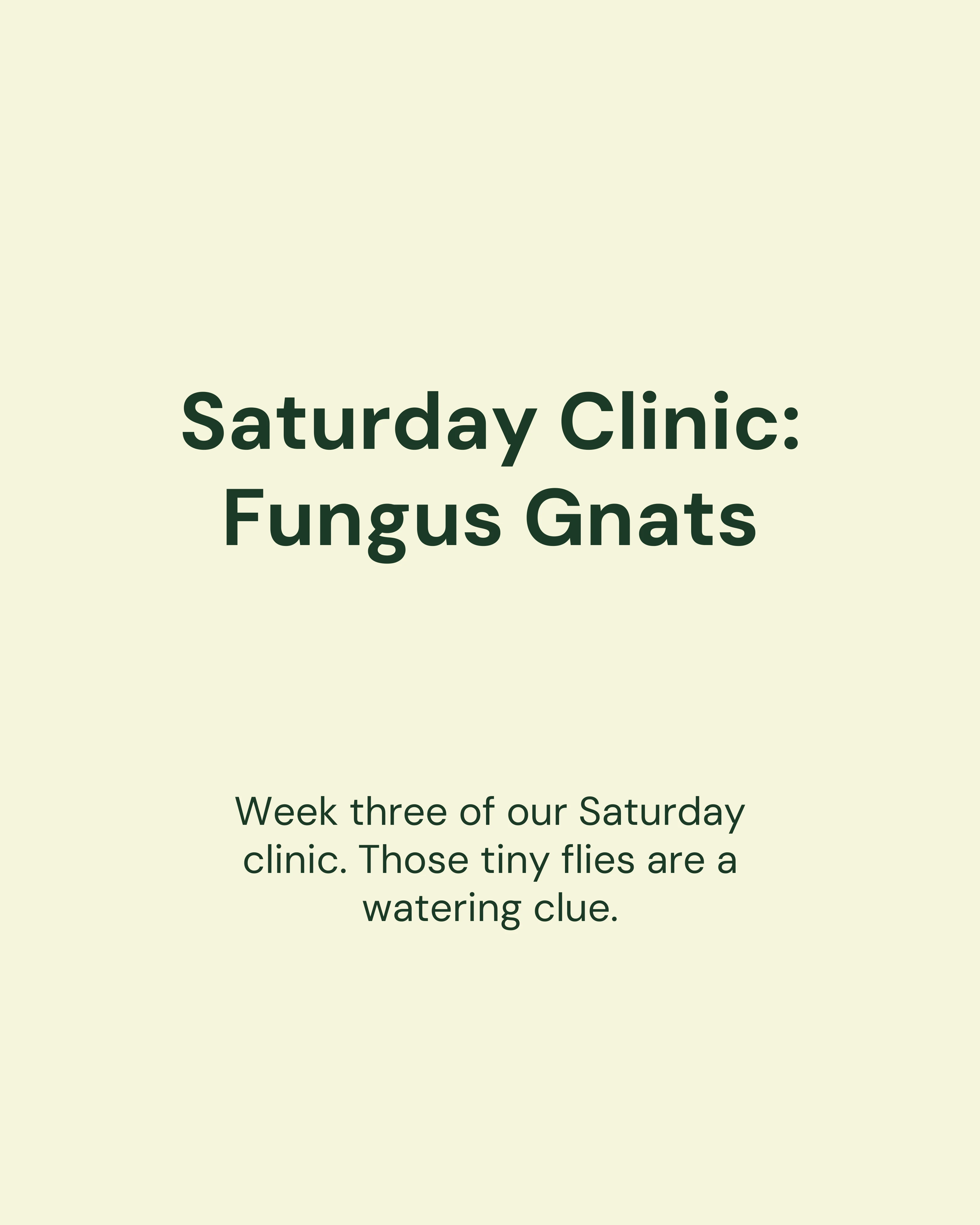
Two posts a week for six weeks gives you twelve data points, which is enough to see whether the For You share is recovering. A recurring series makes this far easier, because the format is decided and only the subject changes. The same plant shop runs a weekly “Saturday Clinic”. Here are representative slides from one episode, the cover and the first tip:
If you need help filling six weeks without running dry, our 30-day carousel content calendar maps a month of posts you can repeat.
4. Read the numbers weekly, not hourly
TikTok’s help centre notes that analytics data “may take 1 to 2 days to update” (My posts aren’t getting views). Checking a post an hour after publishing and deciding it has failed is how people end up deleting and reposting. Once a week, look at each post’s For You share, how far viewers got through the slides, and whether the ineligibility notice has appeared anywhere. Change one thing at a time: the cover style, the subject or the posting day.
5. Leave the “warm-up” rituals out
Scrolling and liking for three days before you post does no harm, but nothing TikTok publishes suggests it restores distribution. The same goes for switching devices or networks, or starting a fresh account to “reset”. TikTok’s authenticity rules say that if an account is restricted, you “may not create or use another account to get around it” (Integrity and Authenticity). If a new account is created to dodge a restriction, you can end up with two restricted accounts instead of one.
How Carousel Helps
The part of this plan that takes the most effort is the original, complete post, every week, for six weeks. Carousel is built for exactly that. You pick a template once for a recurring series like the Saturday Clinic, drop in your own photos, and export at TikTok’s 9:16. Palette and fonts stay locked across every episode, so each week is a new post that still looks like yours, which is the opposite of re-uploading last month’s slides.
Key Takeaways
- TikTok does not document a “dormancy penalty”. It says follower count and past hits are not direct ranking factors, and that low views do not necessarily mean a rule was broken.
- Check each post’s traffic source. Near-zero For You views across several posts points to a recommendation problem, not one weak carousel.
- Scroll to the bottom of post analytics for the “not eligible for recommendation in the For You feed” notice. TikTok confirms that restrictions are reported there, and they can be appealed.
- Run Account Check. Repeated ineligible posts can restrict the whole account, even posts from before your break.
- Do not delete and repost. You lose the evidence, and reused material without anything new is ineligible for the For You feed.
- Recover with original posts on a cadence you can keep for six weeks, and read the numbers weekly.
Coming back after a break? Download Carousel and build your first six weeks of TikTok photo posts from one series template. Free on the App Store.